







How to Connect Webflow Forms to HubSpot Without Zapier
Most Webflow + HubSpot setups rely on Zapier — and silently break. Here's the direct, no-middleware approach that actually works.



Replace broken HubSpot integrations and complex Zapier setups with automationsthat actually work. Natively made for Webflow to save hours of manual integration work.

Webflow builds great sites but it doesn't connect them. Every form submission, lead generation, CMS change, and bookings that happens on your site sits in Webflow waiting for manual setup.
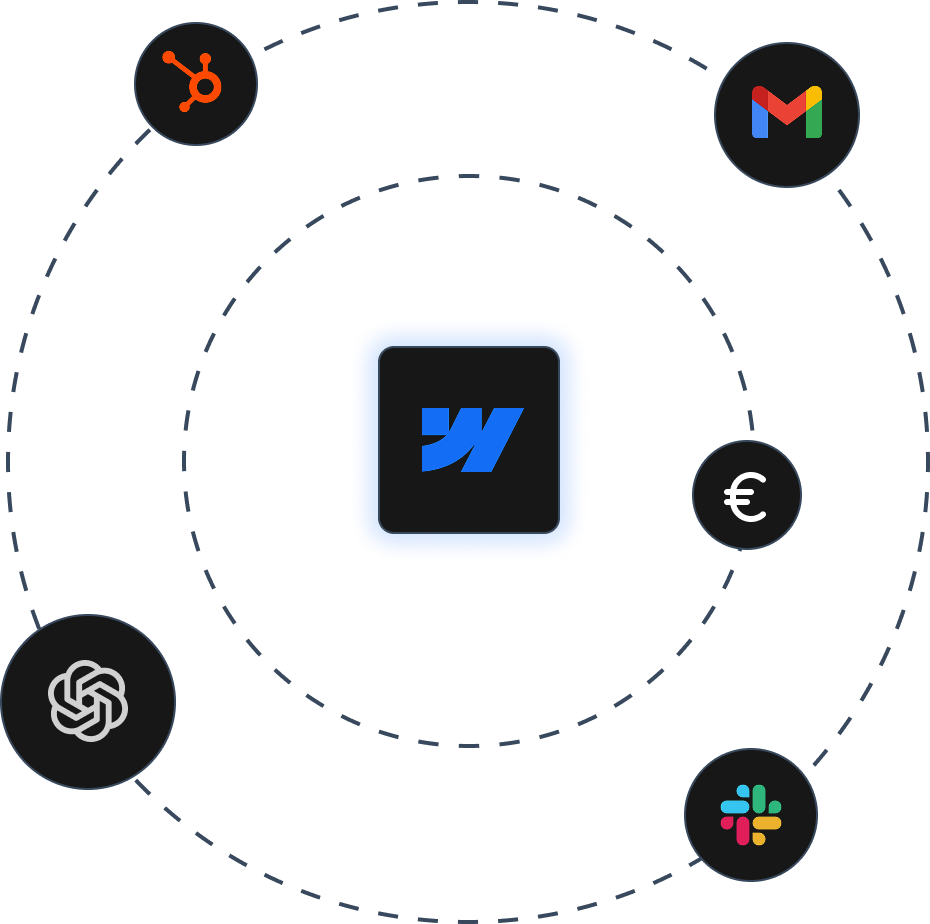
Every Webflow event, connected to the tools your team already uses.



Form submitted. Contact created in HubSpot. Deal logged. Sequence started. No CSV exports, no manual entry.
The moment a form comes in, HubSpot fires your nurture sequence, assigns the deal, and routes it to the right rep.

New order placed. Slack message sent before anyone logs in.
CMS item goes live. Slack message fires to your content channel, your client, or your dev team.

New member signup, form submission, or order placed. Flowtusk fires a Gmail to the right person at the right moment.
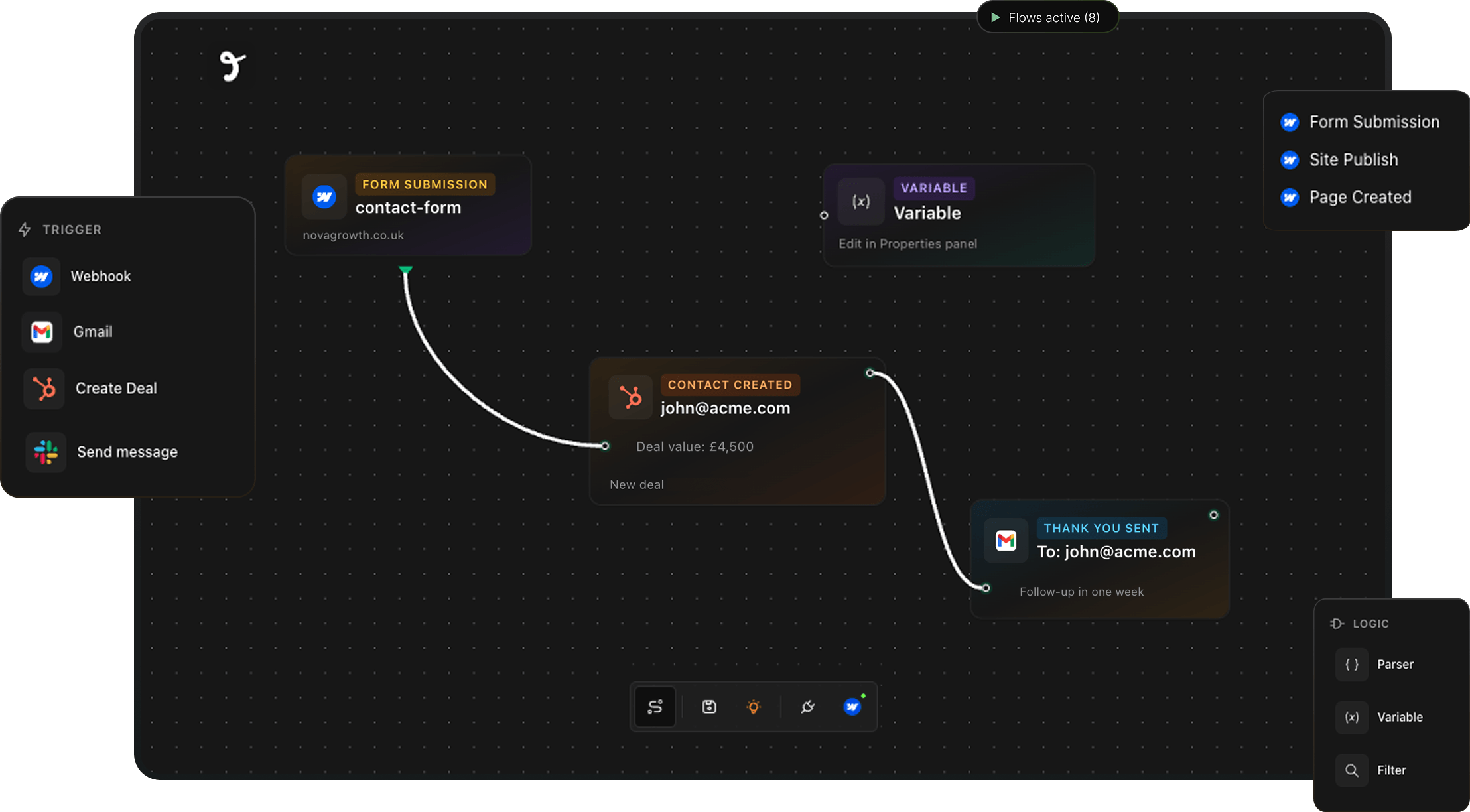
A single Webflow event can hit HubSpot, Slack, and Gmail at the same time. Build multi-step flows on a visual canvas.
Every Flowtusk flow is built from three parts. Set up in minutes. Runs forever.

Every flow starts with a Webflow event: form submission, new order, CMS publish, or member signup.

Drag in a HubSpot, Slack, or Gmail node and connect it to the trigger. When the event fires, the action runs.

Parser, Filter, and Variable nodes sit between trigger and action so you can map fields and shape the flow.
Start free. Pay when your flows do more.


1 Webflow site
5 active flows
Form Submission trigger
HubSpot and Gmail actions
Community support
For freelancers and small teams connecting one client site.
1 Webflow site
Unlimited flows
All triggers: forms, orders, CMS, memberships, site publish
HubSpot, Slack and Gmail actions
Logic nodes: Parser, Filter, Variable
Email support
For agencies managing multiple client sites under one account.
Up to 10 Webflow sites
Unlimited flows
All triggers and actions
Logic nodes included
Console debugging
Priority support
Team access
All plans work on any Webflow plan. No Enterprise contract required.
"We were copy-pasting Webflow leads into HubSpot for 6 months. Flowtusk fixed it in an afternoon."
"Our HubSpot workflows weren't firing because the native integration kept dropping. Flowtusk just works."
"As an agency, managing 8 client sites was a nightmare. Now it's one dashboard."
Everything you need to know before your first flow.

For Webflow, yes. Flowtusk connects directly to Webflow's native events without a Zapier account or subscription. If you're using Zapier purely to bridge Webflow and HubSpot, Flowtusk handles that and costs less. If you use Zapier across dozens of unrelated apps, Flowtusk sits alongside it, just handling the Webflow side.
Flowtusk checks by email address. If the contact exists, it updates their record. If not, it creates a new one. You won't end up with duplicate contacts.
No. Flowtusk sends data via the HubSpot API, which preserves source, UTM parameters, and deal history. Your reporting stays intact. If you have specific attribution requirements, reach out before setting up.
Yes. All plans. Basic, CMS, Business, and Enterprise. You don't need a Webflow Enterprise contract to use it.
Yes. The Console node lets you debug a flow before activating it, so you can confirm data is being sent correctly before anything reaches HubSpot or Slack.
Form Submission, Site Publish, Page Created, Page Updated, Page Deleted, Ecomm New Order, Ecomm Order Changed, Ecomm Inventory Changed, User Account Added, Updated and Deleted, and all Collection Item events: Created, Changed, Deleted, Published, and Unpublished.
Flowtusk queues the payload and retries. Your data doesn't disappear because a destination tool had a hiccup.
Connect your Webflow site to HubSpot, Slack, and Gmail in minutes. First flow is free.
© 2026 Makeshift Digital Oy · Y-tunnus 3429015-7 · All Rights Reserved